Free Scientific Calculator
Published: 15 November 2026 · Updated: 15 November 2026
Trig, inverse trig, logarithms, powers, roots and factorials — with degree and radian modes and a visible expression you can check before you trust the answer. It starts with sin(30) = 0.5 in degree mode. Free, no sign-up, the same functions students use on handheld scientific calculators.
Type or tap, and watch the mode. The expression stays visible, the answer updates as you type, and the angle mode is shown beside every result — because sin(30) is 0.5 in degrees and −0.988 in radians.
Researched by MixKhazana Team · Last updated 15 November 2026 · Data: OpenStax Calculus (LibreTexts), Trigonometric Functions; College Board AP calculator policy
What is a scientific calculator?
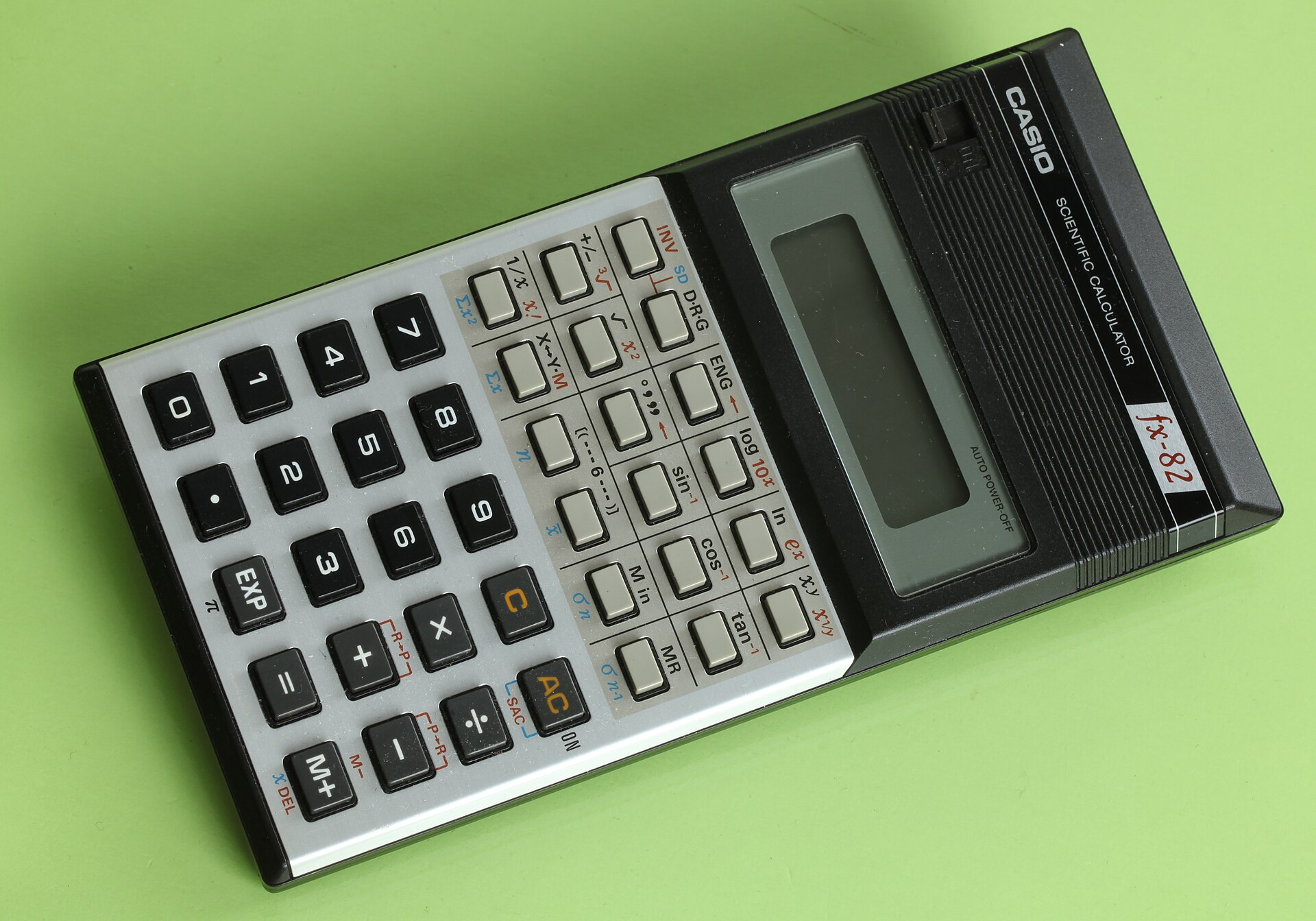
A scientific calculator goes beyond the four operations: it evaluates trig functions (sin, cos, tan and their inverses), logarithms, powers, roots, factorials and constants such as π and e, and it respects the order of operations with brackets. Science and engineering courses require one — the College Board allows a scientific (nongraphing) calculator for AP Biology, Chemistry, Environmental Science and Physics exams — and students meet one in every physics, chemistry and trigonometry class. This free tool covers the same functions for homework and revision, with a visible expression so mistakes are easy to spot.
The single most important setting on any scientific calculator is the angle mode. The same keystrokes, sin(30), mean two completely different things: 0.5 in degrees, and −0.988 in radians. Most “wrong answers” in trigonometry homework are really wrong modes, which is why this tool shows its mode beside every answer.
How to use this scientific calculator
- Type your expression in the box, or tap the keys — both work, and the answer updates as you type.
- Set the angle mode first for any trig work: Degrees for geometry problems, Radians for calculus and for graphs.
- Use brackets to control the order: 2^(1+2) = 8, while 2^1+2 = 4. The expression stays visible so you can check it.
- Press = or Enter to re-evaluate, C to clear, and ⌫ to delete one character.
Functions and formulas
Angles: 180° = π radians, so radians = degrees × π/180 and degrees = radians × 180/π. On the unit circle, for an angle θ, sin θ is the y-coordinate and cos θ the x-coordinate of the point on the circle, and tan θ = sin θ / cos θ. The inverse functions undo them: asin returns the angle whose sine is the given value.
- sin, cos, tan — trig functions, in the chosen angle mode; asin, acos, atan — inverse trig, returning angles in the chosen mode
- log — base-10 logarithm: log(1000) = 3 because 10³ = 1000; ln — natural logarithm, base e: ln(e) = 1
- sqrt — square root; cbrt — cube root (works for negatives too); ^ — power: 2^10 = 1024
- exp — e raised to a power: exp(1) = e ≈ 2.718281828; 10^( — 10 raised to a power
- ! — factorial: n! = 1 × 2 × … × n, for whole numbers 0 to 170; % — divides by 100
- abs — absolute value; pi ≈ 3.141592654; e ≈ 2.718281828
Order of operations follows the standard rules: brackets first, then powers and roots, then multiplication and division, then addition and subtraction — with unary minus binding less tightly than powers, so −2^2 = −4, the way textbooks read it.
Worked example
A ladder 20 ft long leans against a house, making 60° with the ground. How far is its base from the house?
- The ladder is the hypotenuse; the distance from the house is the adjacent side: cos(60°) = adjacent / 20
- Adjacent = 20 × cos(60°) = 20 × 0.5 = 10 ft
- In this tool: degree mode, type 20*cos(60) and read 10
- In radian mode the same problem is 20*cos(pi/3) = 10, because 60° = π/3 radians — try both and compare
Try it above: type 20*cos(60) in degree mode.
Exact trig values at common angles
| Angle | sin | cos | tan |
| 0° (0) | 0 | 1 | 0 |
| 30° (π/6) | 0.5 | 0.8660254 | 0.5773503 |
| 45° (π/4) | 0.7071068 | 0.7071068 | 1 |
| 60° (π/3) | 0.8660254 | 0.5 | 1.7320508 |
| 90° (π/2) | 1 | 0 | not defined |
tan(90°) is not defined because cos(90°) = 0 and division by zero has no value. Check any row above in degree mode: sin(30), cos(45), tan(60).
Degrees or radians — how to choose
Use degrees when the problem states angles in degrees — geometry, surveying, and most school trigonometry. Use radians when the problem uses π, when you are graphing trig functions, or when you are doing calculus: the derivative rules for sin and cos hold only in radians. If your answer disagrees with the textbook by a strange amount, check the mode first; it is the cause more often than any arithmetic slip.
Frequently asked questions
How do I calculate sin(30) here?
Type sin(30) in the expression box with Degrees mode selected: the answer is 0.5. In Radians mode the same keystrokes mean sin of 30 radians, which is -0.988, so always check the mode first.
What is the difference between log and ln?
log is the base-10 logarithm: log(1000) = 3 because 10 to the power 3 is 1000. ln is the natural logarithm, base e (about 2.71828): ln(e) = 1. Science problems about growth and decay usually need ln; problems about orders of magnitude usually need log.
How do I enter a power like 2 to the 10th?
Type 2^10, or tap 2, then the x-to-the-y key, then 10. The answer is 1024. For a square, the x-squared key inserts ^2 for you.
Why does sqrt(-1) show an error?
Because no real number squared gives -1: the square root of a negative number is imaginary, and this calculator works with real numbers only. The cube root key does work for negatives, since (-2) cubed is -8.
What does the factorial key do?
n! multiplies all whole numbers from 1 to n: 5! = 120. It is used in counting problems and probability. This tool accepts whole numbers from 0 to 170, since 171! is too large to store exactly.
How do I convert degrees to radians?
Multiply by pi and divide by 180: 60 degrees is 60*pi/180 = pi/3 radians. Type 60*pi/180 here to get 1.0471975512. The reverse is radians x 180/pi.
Can I type the whole expression instead of tapping keys?
Yes. The box accepts typed expressions with brackets, functions and constants: try 2*(3+4)^2 or sqrt(144)+log(100). The answer updates as you type, and Enter re-evaluates.
Why is tan(90) an error in degree mode?
Because tan is sin divided by cos, and cos(90 degrees) is 0. Division by zero is not defined, so tan(90 degrees) has no value. The tool says so instead of printing a huge misleading number.
Sources
- OpenStax Calculus, Trigonometric Functions (LibreTexts) — radian measure, 180° = π radians, unit-circle definitions of sin, cos and tan, and exact values at common angles.
- College Board, AP Exams Calculator Policy — scientific (nongraphing) calculators are allowed for AP Biology, Chemistry, Environmental Science and Physics.
Disclaimer: a study aid for homework and revision, working with real numbers only. It is not an approved exam-room device; check your exam board's calculator policy before exam day.
Related tools

Card photos: Sergey Meshkov / Pexels, Pexels licence · Lukas Blazek / Pexels, Pexels licence · Coyau / Wikimedia Commons, CC BY-SA 3.0